
 SPOTIFY
 YOUTUBE
🎶 Featured Playlists
Explore curated playlists from Spotify, YouTube, and Apple Music.
Spotify Playlist
YouTube Playlist
Apple Music Playlist
🎧 STREAMER DASHBOARD
If you would like to enter the streamer dashboard, please refer to the section below.
🏆 Hall of Fame
🏆 WEEKLY TOP STREAMER
Celebrate special streaming milestones and events with Jin and the fandom!
Submit Your Last.fm Username
Join the fun! Join the streamers dashboard!
- More instructions:
- If you wanted to join, create last.fm account, tutorial below.
- Send your last.fm username above. Usernames will be added within 2-3 days to the dashboard if approved.
- Make sure your last.fm account is on public.
- Streams counted is only from Jin, it means that the dashboard will only capture/counts streams from Jin's discography from Spotify, Apple Music and Youtube Music.
📚 PLATFORM GUIDES
Let's stream together for Jin!
📻 Stationhead Tutorial
Join Jin’s Stationhead streams and help increase listening counts!
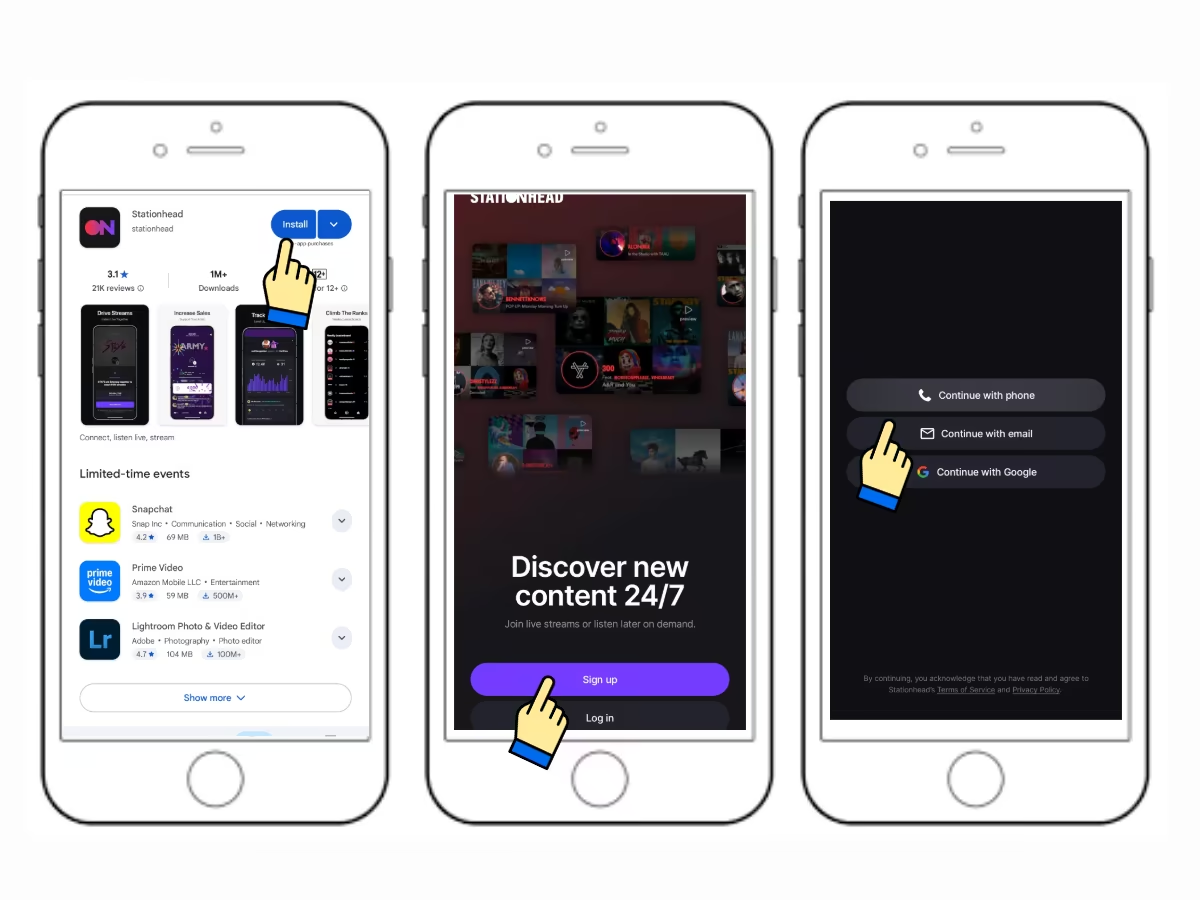
Step 1
Download and install station head application on your phone. Open the app and click on "sign-up" button. Then choose how to sign-up, for this guide, let's use email.
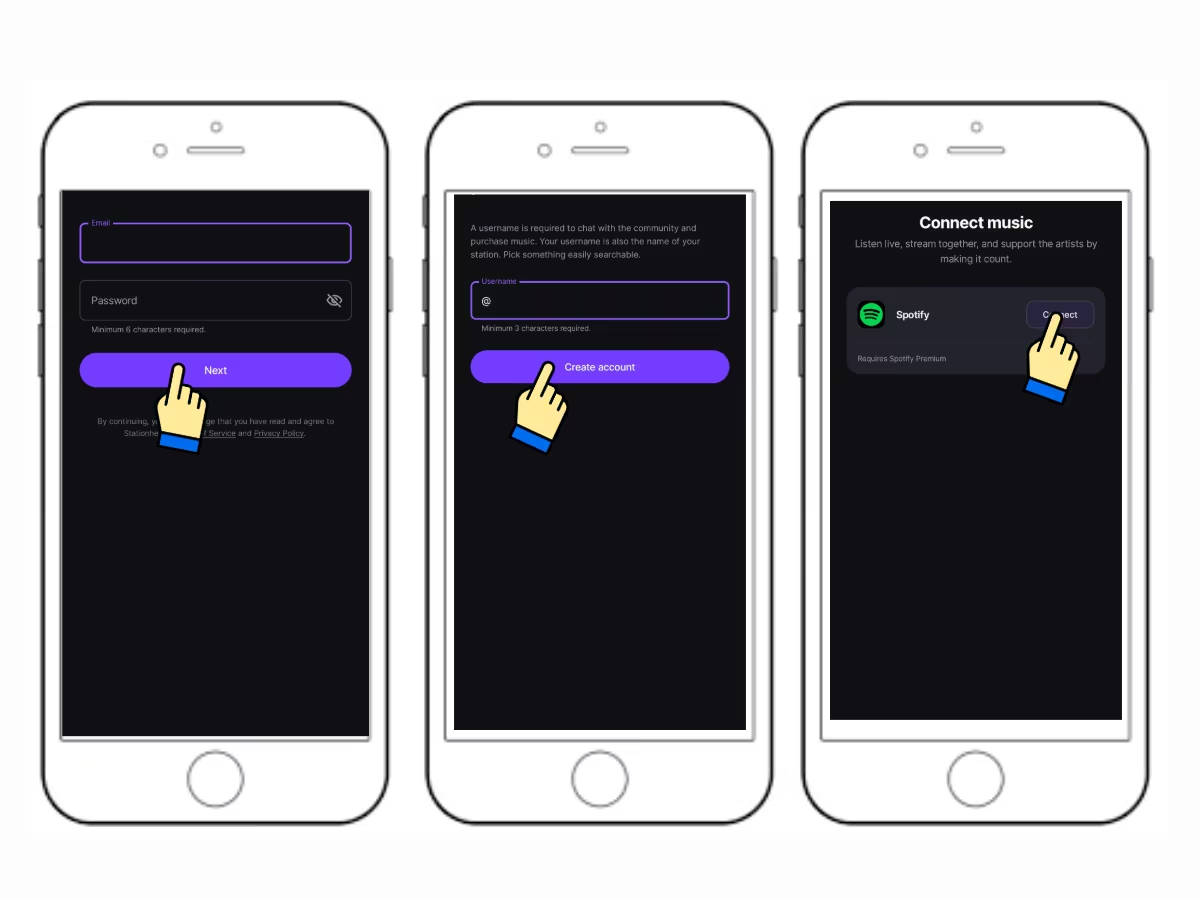
Step 2
Enter your email address and create password then hit on "Next" button. Create your station head username and press "Create account". Press "Connect" to connect your Spotify, this is the most important part so make sure not to skip it.
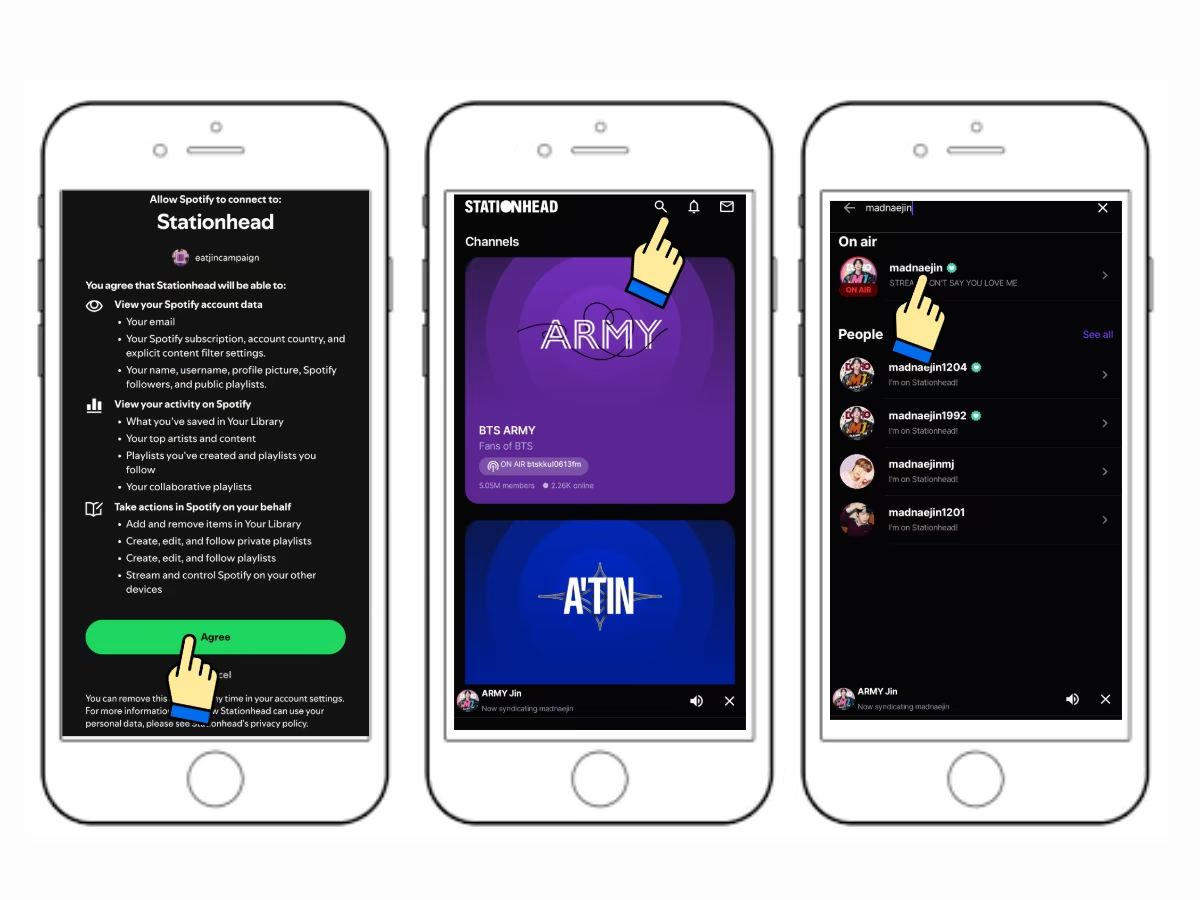
Step 3
Agree to all terms and you're done! To join a streaming party, have your spotify or apple music open. From your station head home page, search the username of the party host. Tap on the result which has an "on-air" banner. You'll be routed to the party page, once it is already playing double check your spotify or AM, the same song must be playing there, if not, you're not yet connected.
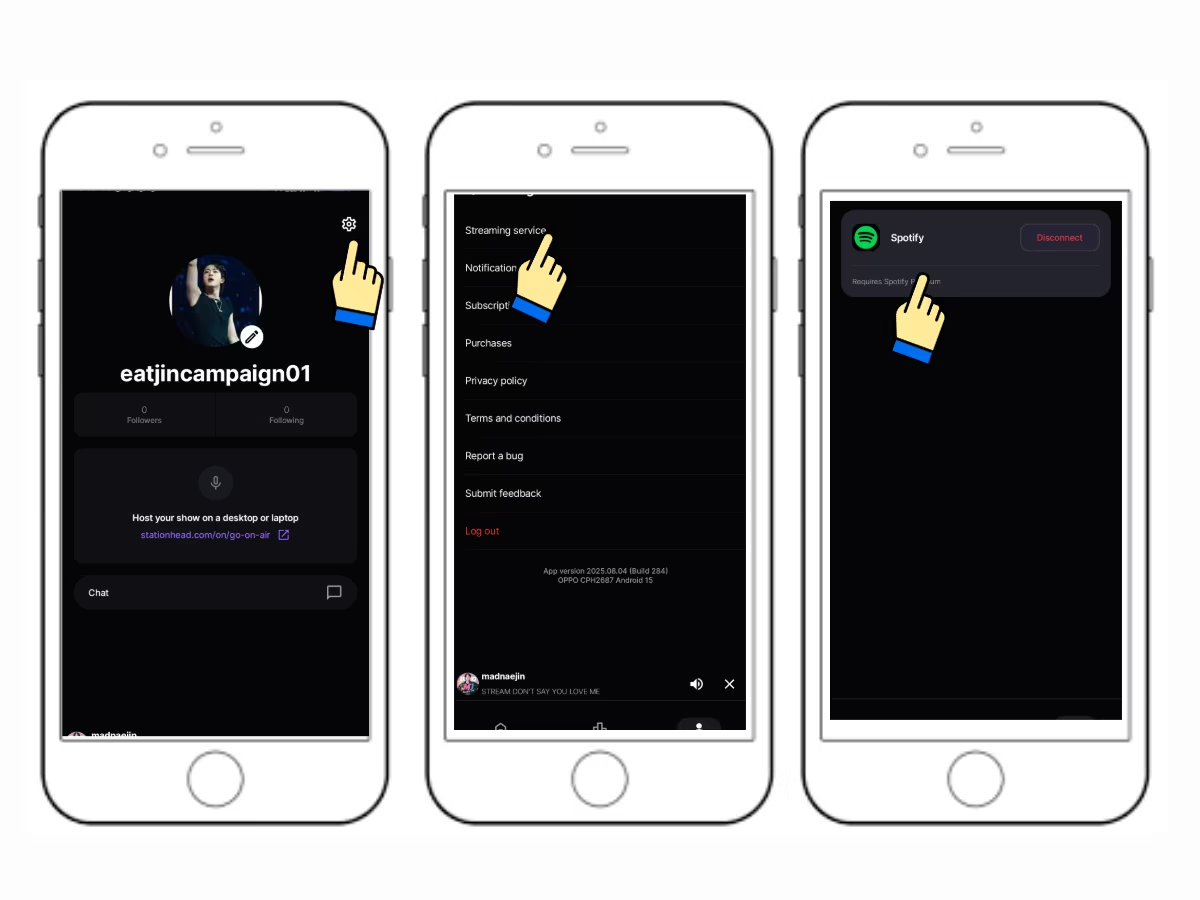
Step 4
To check if you're connected, go to your profile page. Tap the "Setting" icon on the upper left corner of the page. Tap on "Streaming devices", you'll see the platform you're connected with. If it is still not playing, you might not be on premium accounts. Or if you are, just close and re-launch SH or your spotify.
NOTE:
- Station head only works on premium spotify or apple music.
- When I join streaming party on station head, would streams counts towards chart? YES.
- If I buy the song on stationhead, would it count? YES. Strictly one purchase per account and per card or payment method.
- Is buying on stationhead available on all region? NO. It is only available on selected countries.
- Can I minimize SH app when streaming? YES.
- Always make sure that your Spotify is connected with your station head before streaming.
🎧 Last.fm Tutorial
Track your Jin streams and view your daily stats using Last.fm.
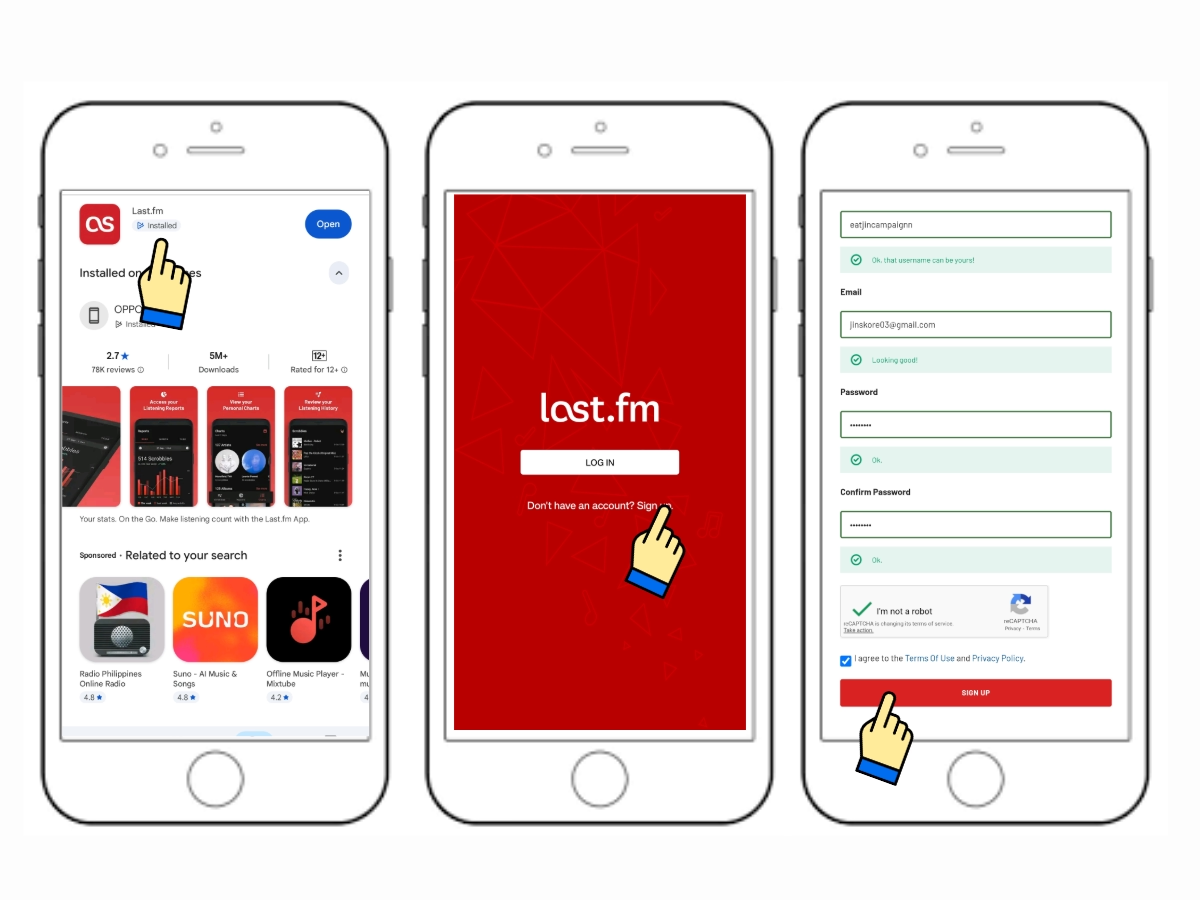
Step 1
Download and install last.fm app on your phone. Open the app and sign-up. Enter all needed information, complete captcha if there is one and tap on "Sign-up" button.
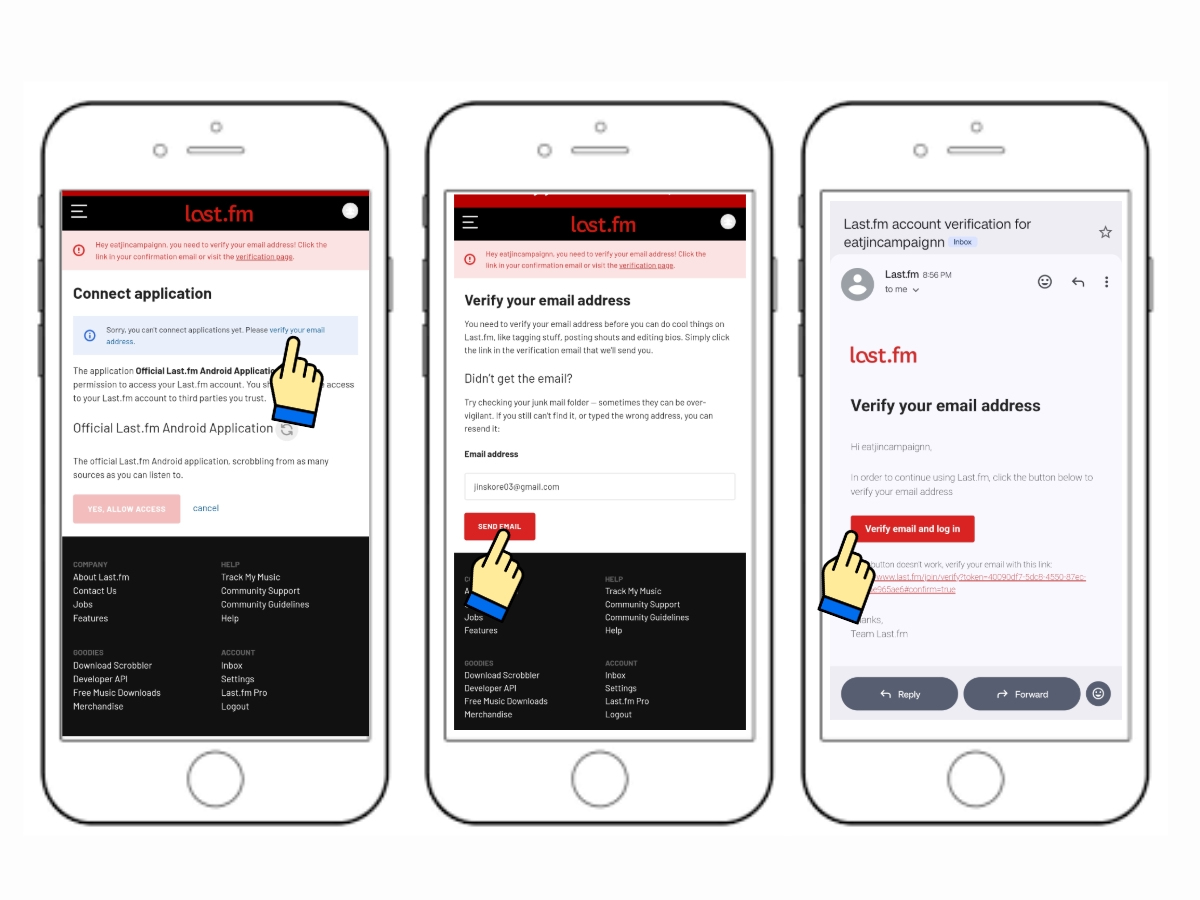
Step 2
An email cofirmation will be send to your gmail, if there is none, tap "Verify your email address". Double check and press "Send Email." Open your gmail and tap the button or the link.
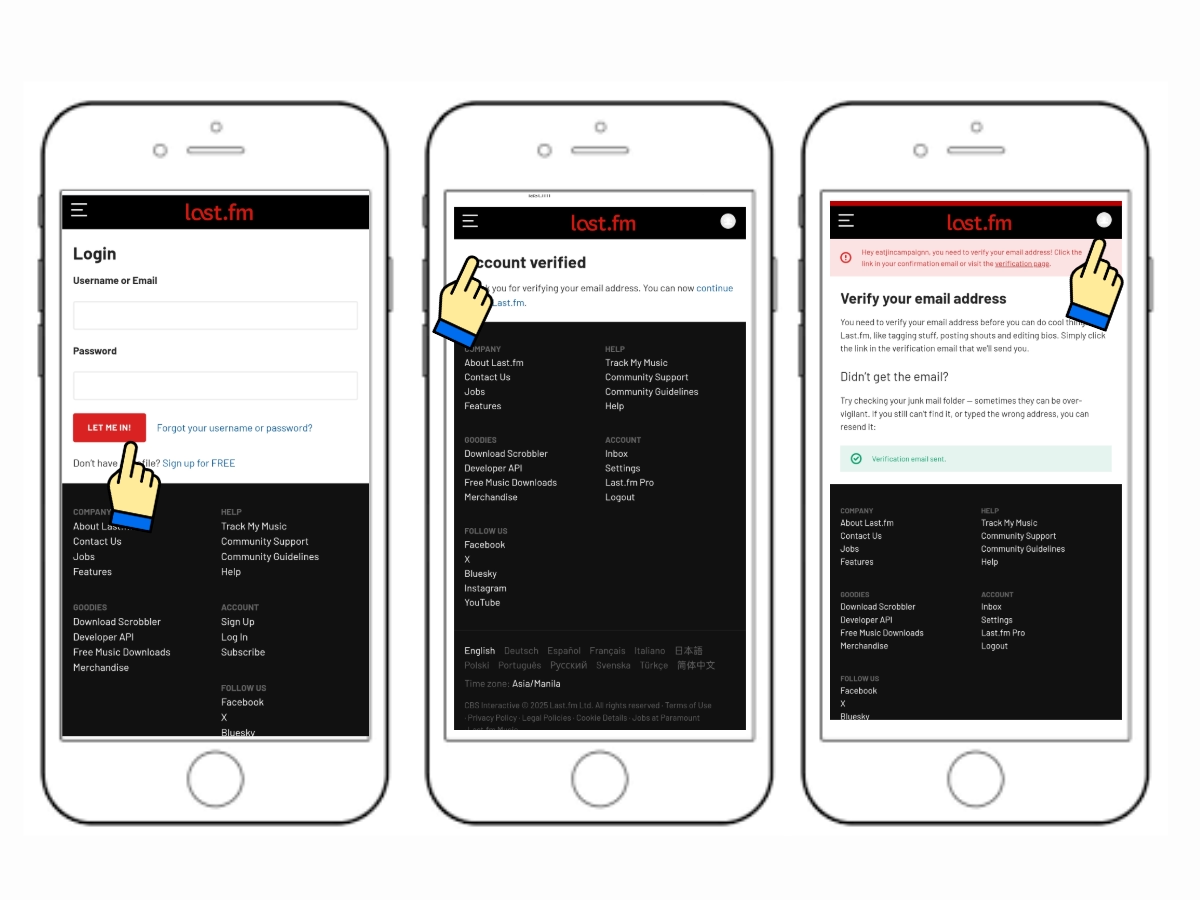
Step 3
Enter the username and the password you just created and press on "Let Me In" button. Once you're verified, go back to your last.fm app. Press on the "profile icon" at the upper right corner, if you had been logged out, just log-in again.
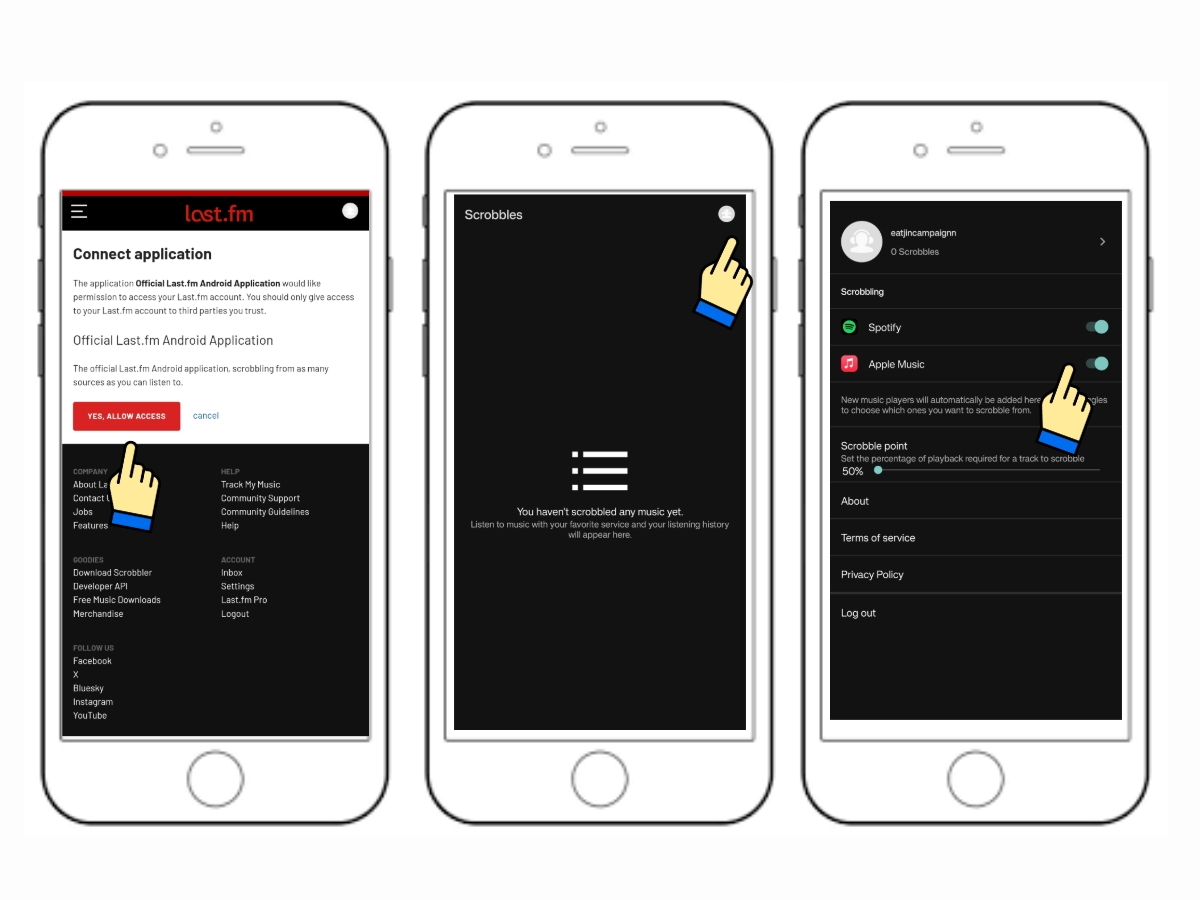
Step 4
Press on "Allow Access" button. To connect your spotify or apple music, tap on the "Profile" icon again and switch on all toggle buttons. If the toggle button is not showing, just close the app and open again.
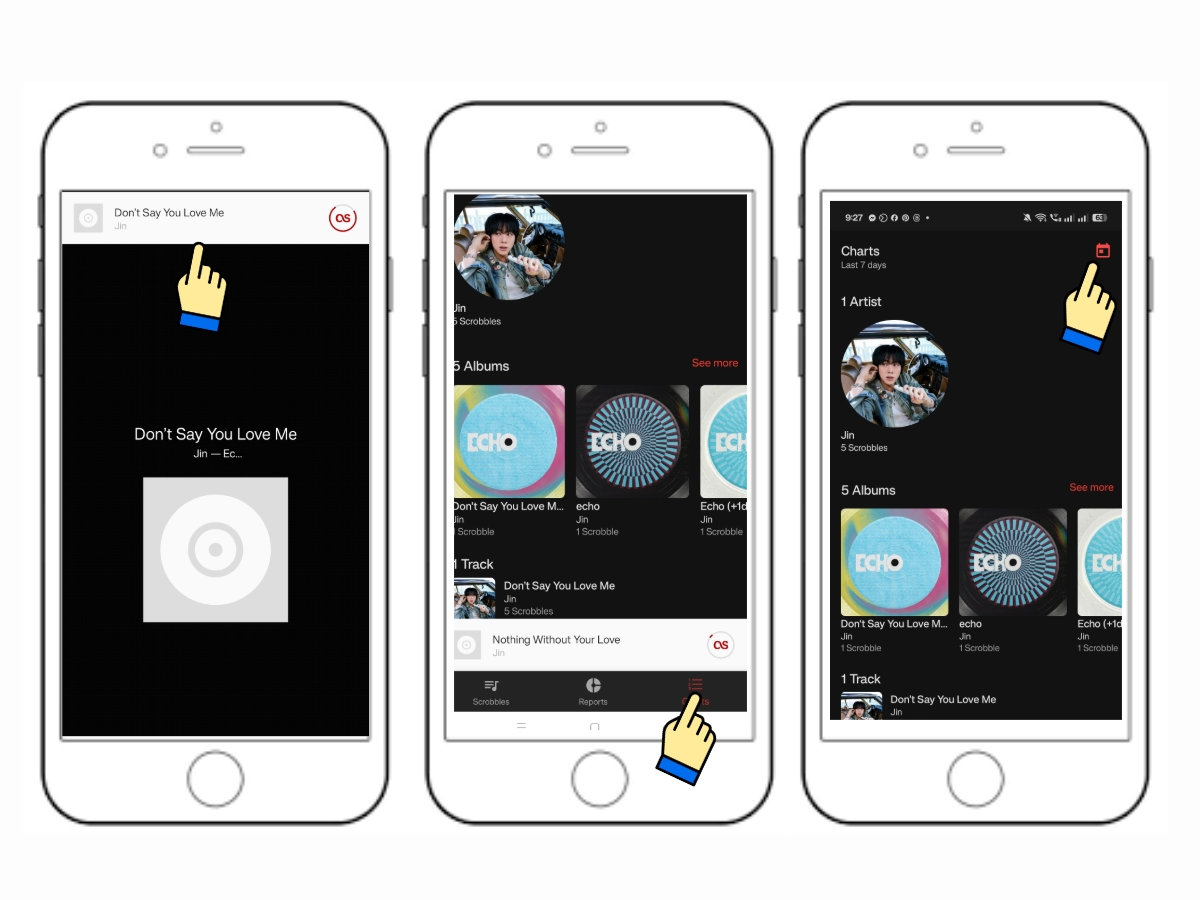
Step 5
To start scrobbling, play the song on your spotify or AM it might take up to 30 seconds before last.fm start scrobbling. To check your data, go to "Chart" page. You can also filter it by dates, just
📢 STREAMING PARTY and ANNOUNCEMENTS
Celebrate special streaming milestones and events with Jin and the fandom!