WRITING A BLOG FOR JIN
One of the most effective and important way of improving Jin's Brand Ranking is to write a blog about him.
Blogging is writing an article about him and publishing it to naver. Blogging is quite not easy for first
timer but be patient, if you already know about the round around of blogging, it became so addicting to
write about Jin.
ADDITIONAL INFORMATION
There is no option to change the language in Naver blog app,so please just familiarize with the function of each button or field.
Copy and save these hashtags and always add to the last part of your blogs.
#BTSJIN #SEOKJIN #KIMSEOKJIN #防彈少年團 #방탄소년단진 #ジン #진 #김석진 #金碩珍 #BTS
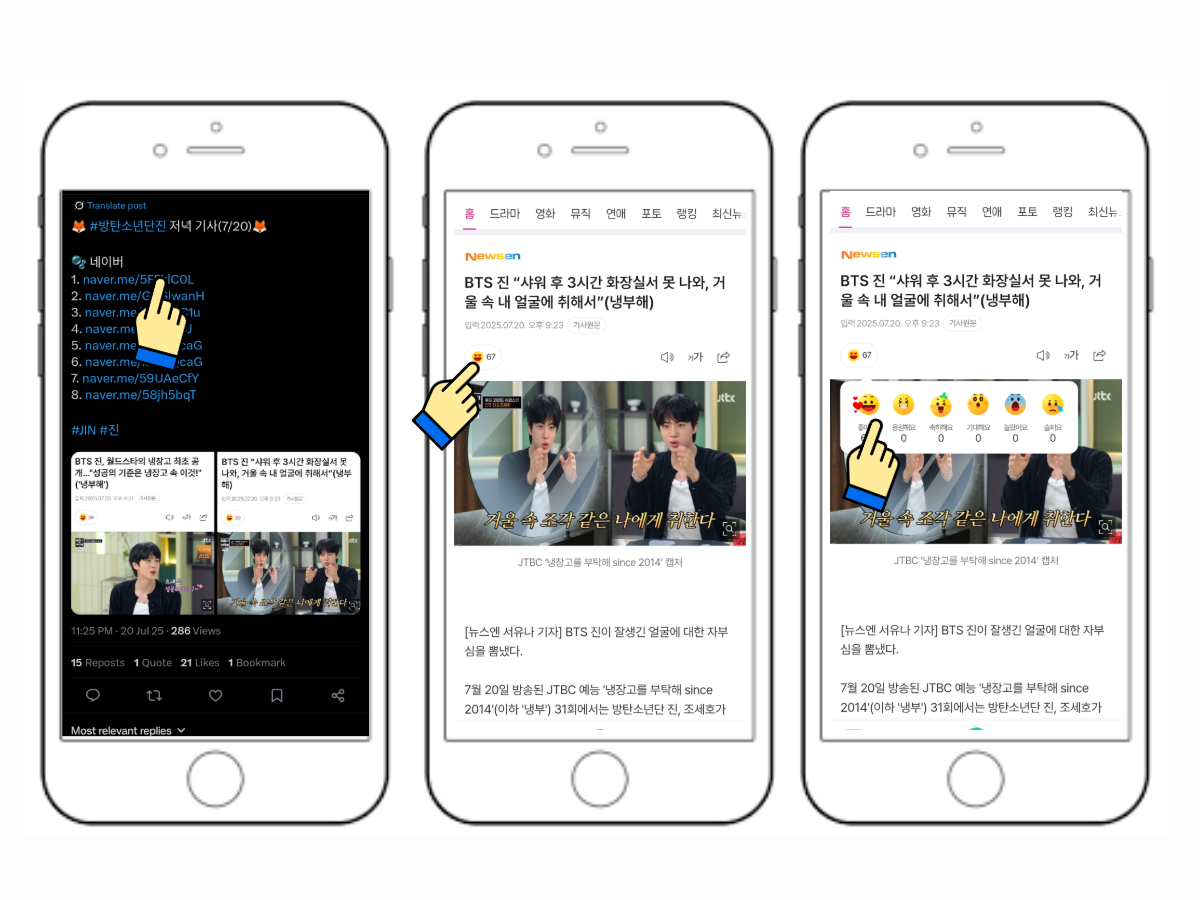
Interact with other Seokjinnies blogs, react and leave a comment. Higher interaction of a blog, higher points.
Share your blogs on your social media and ask others to interact with it. ❗ Don't just write, promote it too.
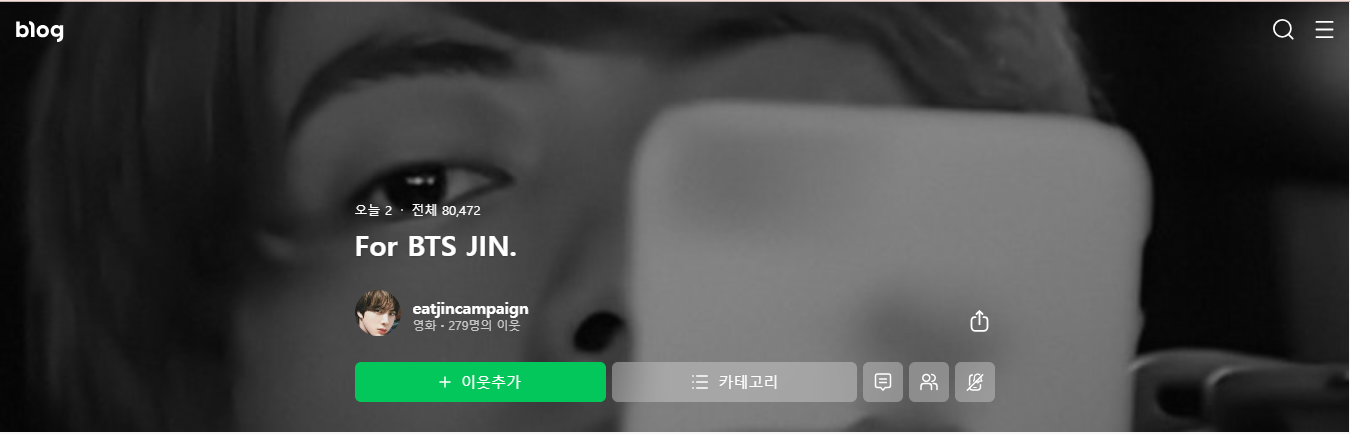
Please check our blogs here - https://m.blog.naver.com/eatjincampaign
Tap to view larger
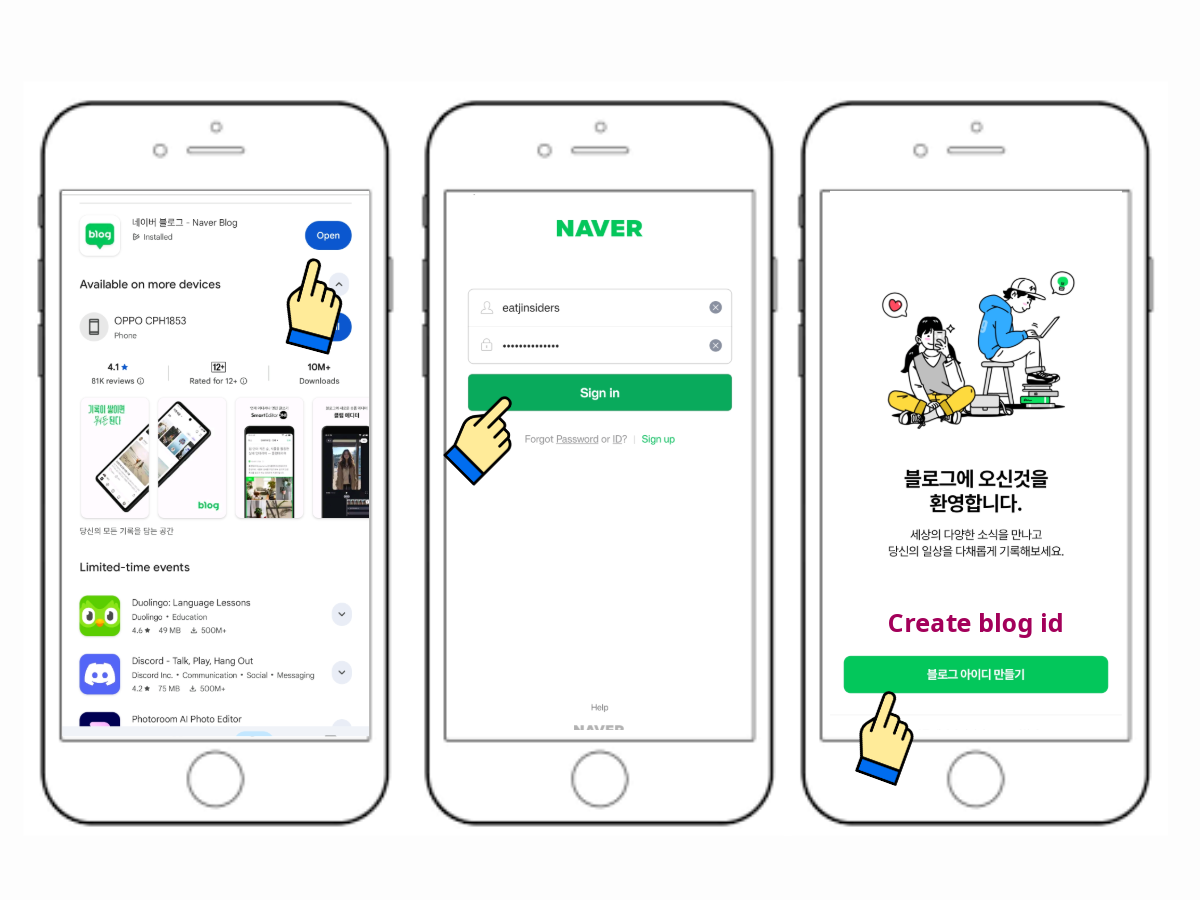
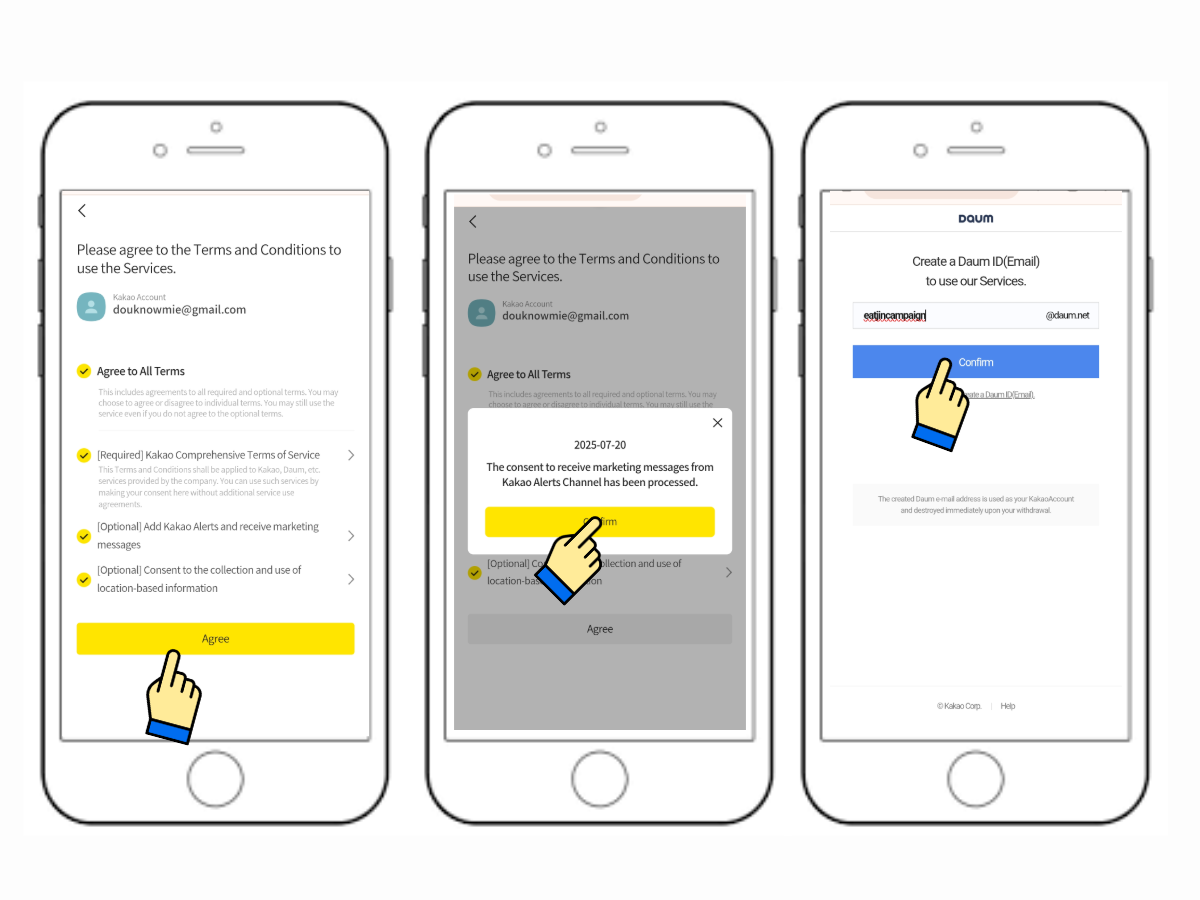
Download and install "Naver Blog" on your phone. Open the app and enter your naver user id and password then hit "Sign-in". Press "Create Blog ID" button.
Tap to view larger
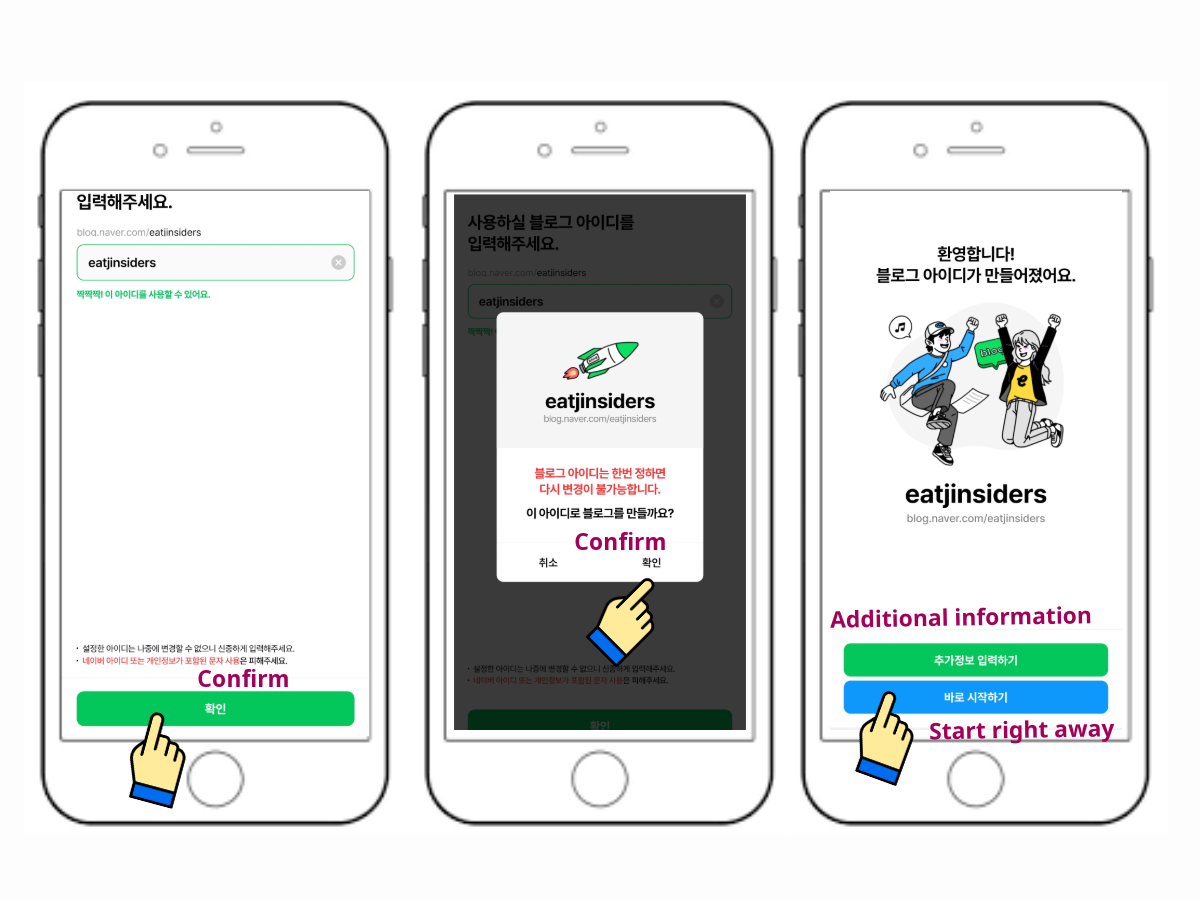
Enter your desire user id and press "Confirm"button. Tap "Confirm" again from the pop-up box and press "Start Right Away" button (the blue one).
Tap to view larger
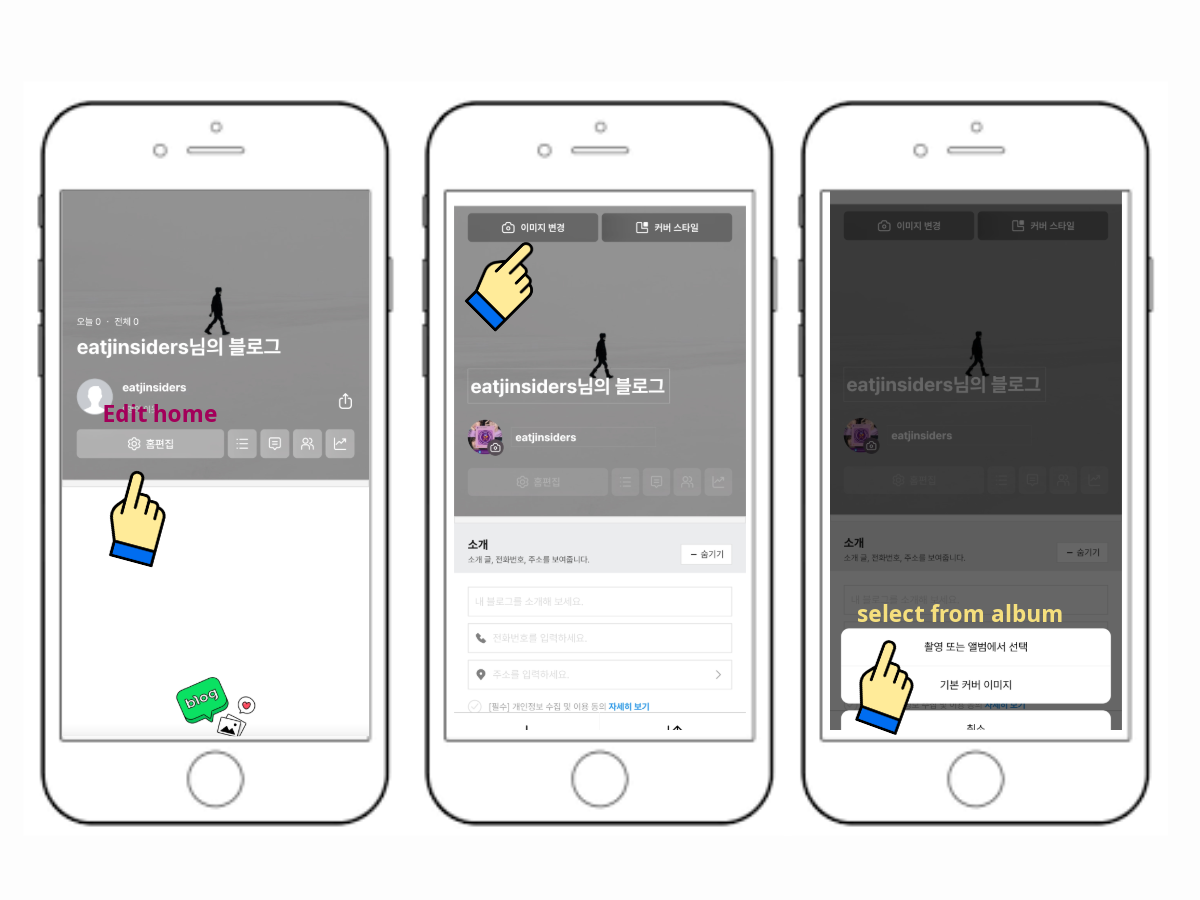
(optional) Add profile picture and cover photo by going to your "Profile" section. Press the "Edit Home"button (setting icon). Upload your photos and press "Confirm" on the upper right corner of the page.
Tap to view larger
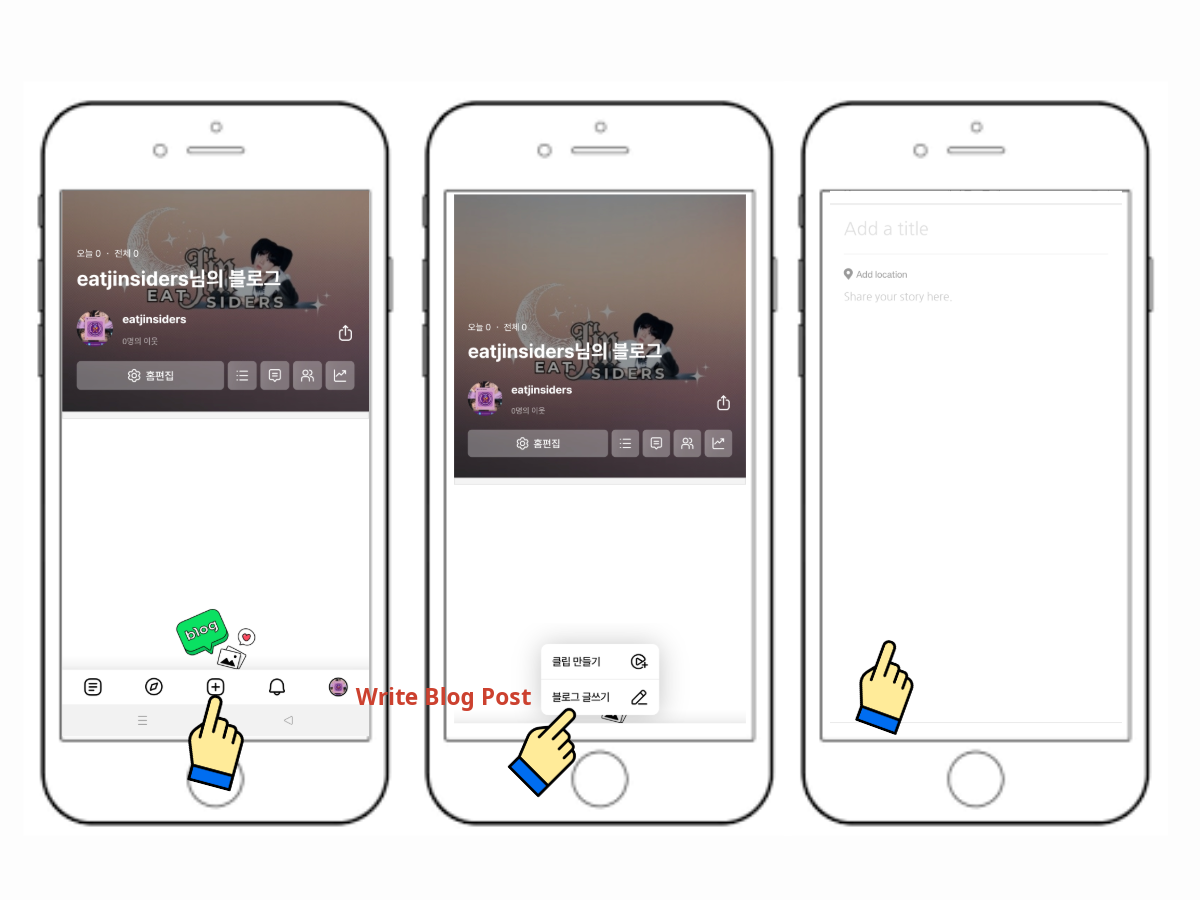
To write a blog, press the "Plus" icon on the lower part of the screen. Tap "Write blog post" (pen icon). And you can now start writing!
Tap to view larger
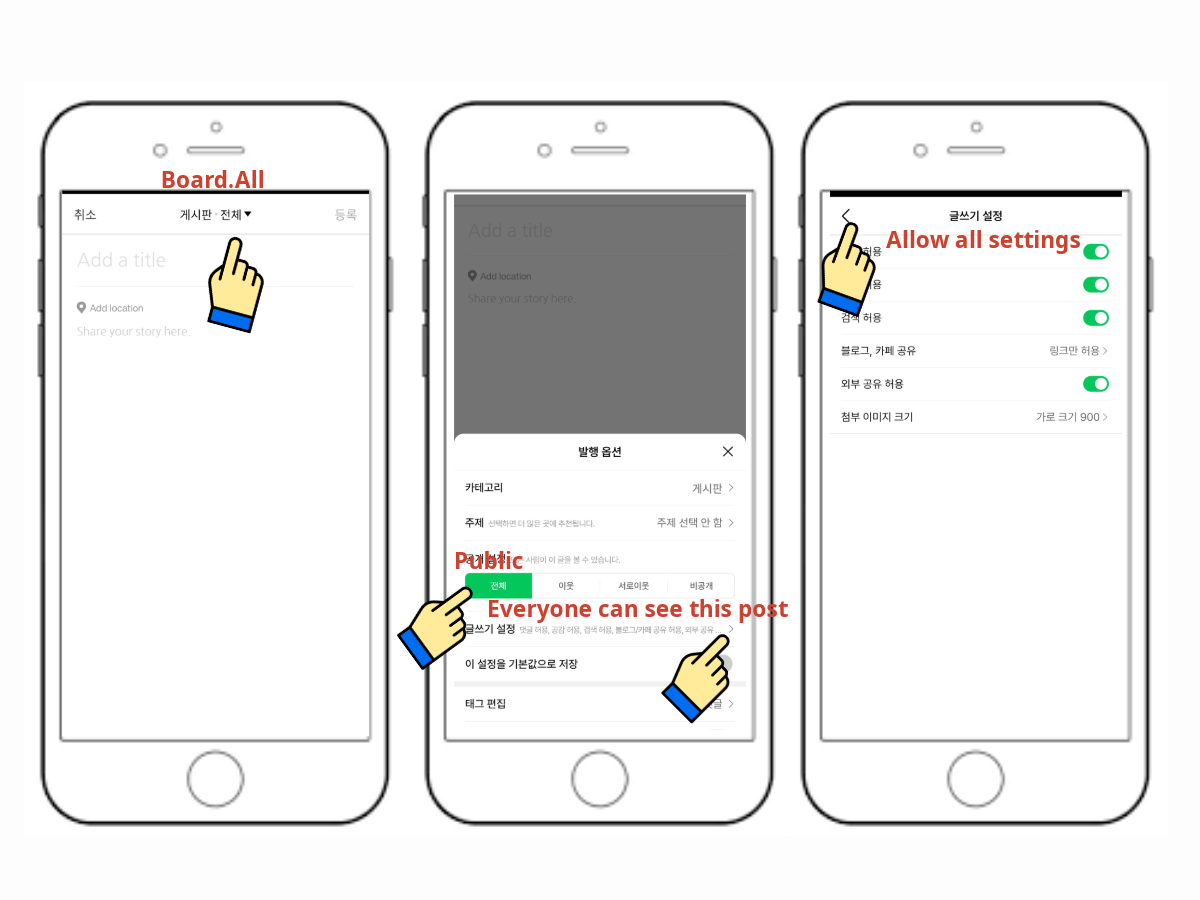
Before writing, set your blogs to public by clicking the "Board.All" dropdown at the center top of the page as shown on above photo. Press "Public" button and the "Everyone can see this post" arrow. Make sure to "Allow All Settings" by turning on all toggle buttons (check photo for referrence). If everything's on public, just close all the page to go back to writing.
Tap to view larger
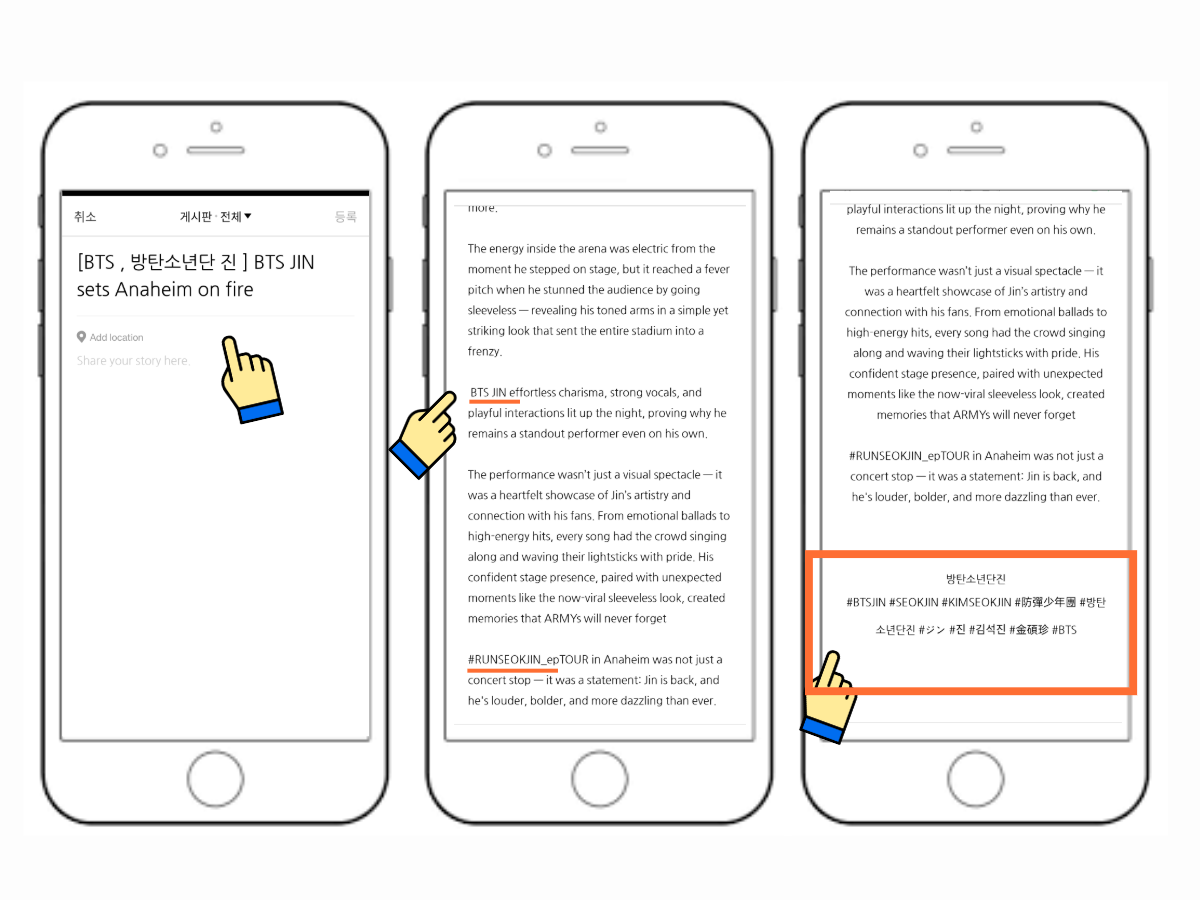
Create your title, use this format >[BTS , 방탄소년단 진] BTS JIN (your title) < Write your body, make sure to add "BTS JIN" on some part and any related tags. At the end of your blog, add Jin's hangul name ' 방탄소년단진 ' and his hashtags. #BTSJIN #SEOKJIN #KIMSEOKJIN #防彈少年團 #방탄소년단진 #ジン #진 #김석진 #金碩珍 #BTS
Tap to view larger
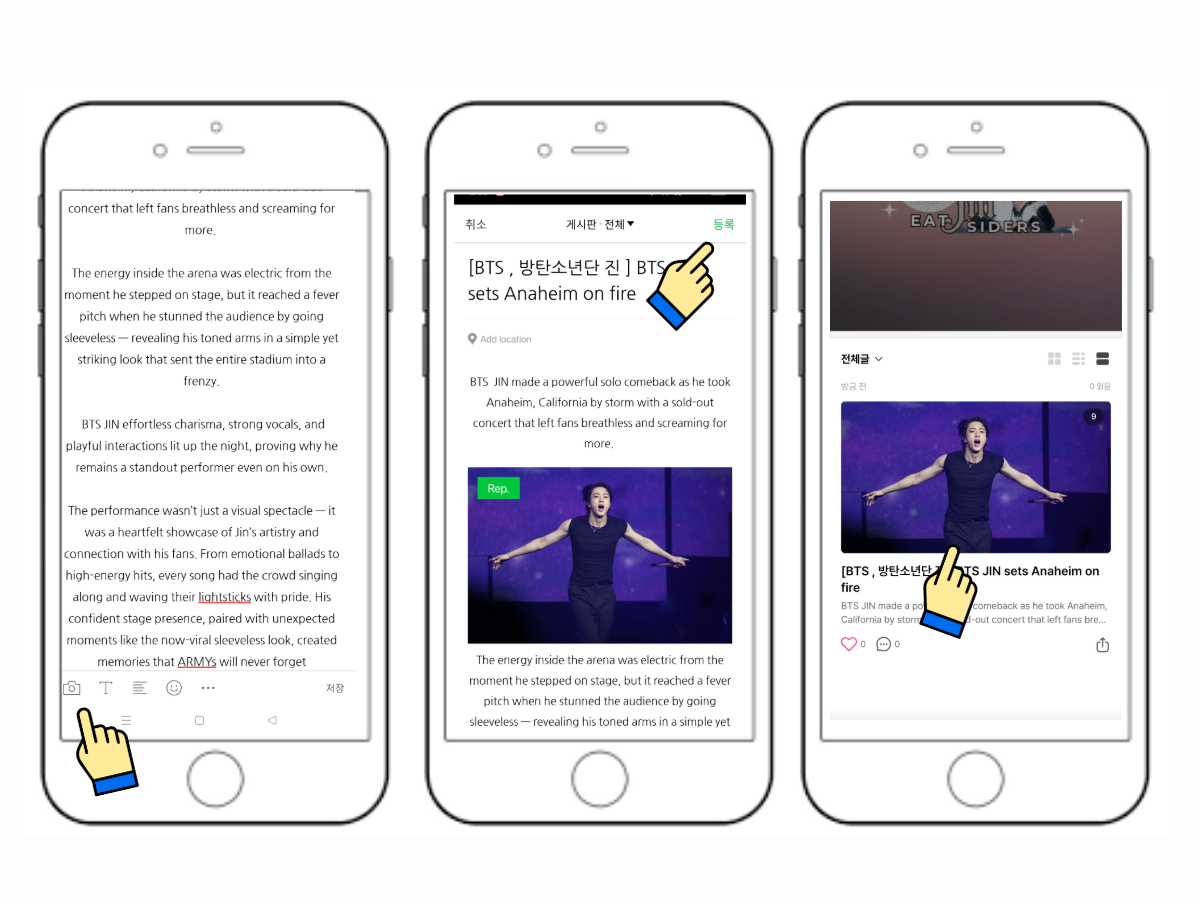
Add atleast 4-5 photos by clickin the "Camera" icon on the lower left corner of the page. When you're done and ready, publsh your blog by clicking the "Post" button on the upper left corner of the page. To check your uploaded blog(s), go to your profile section.
Tap to view larger
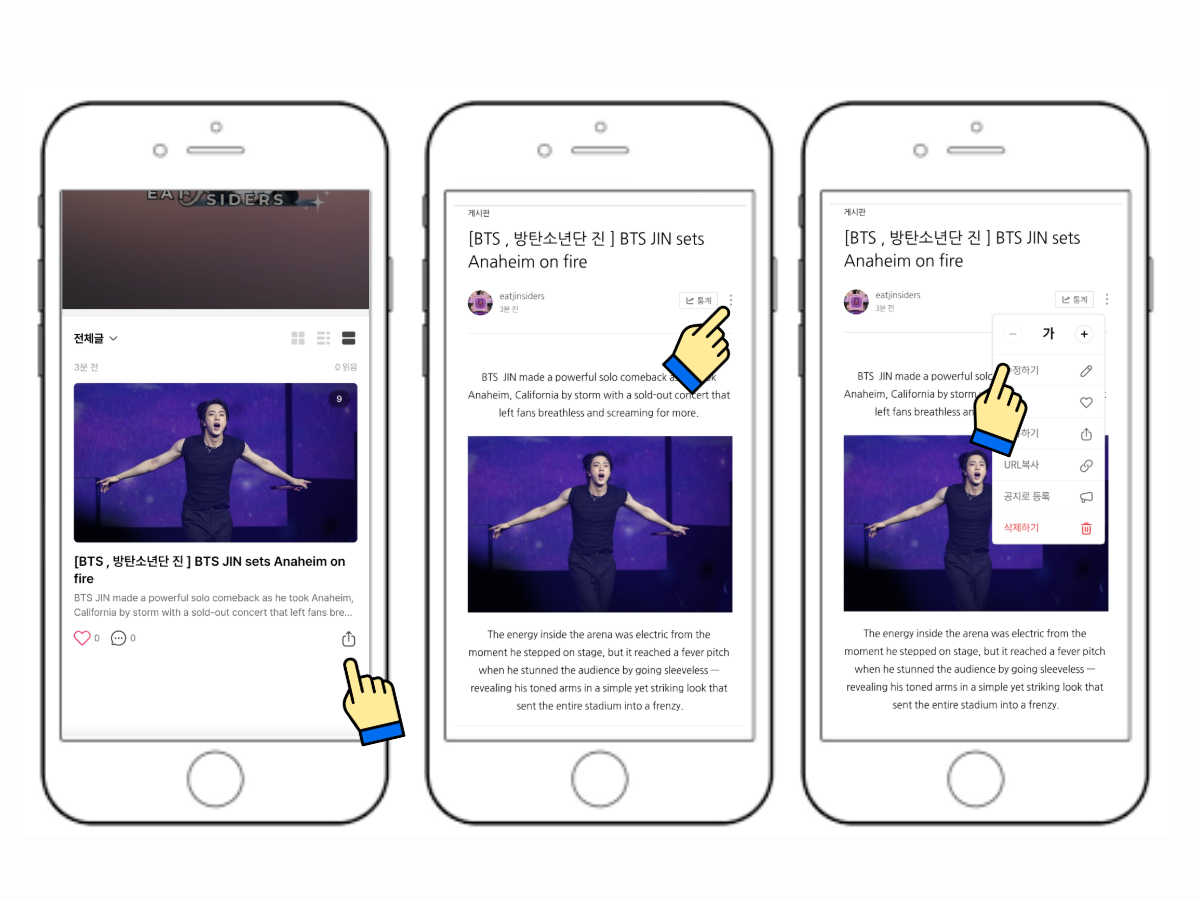
To share your blogs to other users, click the "Share" icon on the lowwer left of your written blog and copy the link. To edit and delete, tap to open your blog. Click the three dots on the left side, and there you can edit, delete and even share your blogs.